
Lincoln Aviator: Security / Passive Anti-Theft System

Note: The system is not compatible with non-Ford aftermarket remote start systems. Use of these systems may result in vehicle starting problems and a loss of security protection.

Note: Metallic objects, electronic devices or a second coded key on the same key chain may cause vehicle starting problems if they are too close to the key when starting the engine. Prevent these objects from touching the coded key while starting the engine. Switch the ignition off, move all objects on the key chain away from the coded key and restart the engine if a problem occurs.

Note: Do not leave a duplicate coded key in the vehicle. Always take your keys and lock all doors when leaving the vehicle.

SecuriLock®

The system is an engine immobilization system. It is designed to help prevent the engine from being started unless a coded key programmed to your vehicle is used. Using the wrong key may prevent the engine from starting. A message may appear in the information display.

If you are unable to start the engine with a correctly coded key, a malfunction has happened and a message may appear in the information display.

Automatic Arming

The vehicle arms immediately after you switch the ignition off.

Automatic Disarming

Switching the ignition on with a coded key disarms the vehicle.

Replacement Keys

Note: Your vehicle comes equipped with two intelligent access keys.

The intelligent access key functions as a programmed key that operates the driver door lock and activates the intelligent access with push button start system, as well as a remote control.

If your programmed transmitters are lost or stolen and you do not have an extra coded key, you will need to have your vehicle towed to an authorized dealer. You need to erase the key codes from your vehicle and program new coded keys.

Store an extra programmed key away from the vehicle in a safe place to help prevent any inconveniences. See your authorized dealer to purchase additional spare or replacement keys.

Programming a Spare Intelligent Access Key

See your authorized dealer to have additional keys programmed to your vehicle.

    Security

    ..

    Anti-Theft Alarm

    The active anti-theft system is designed to warn you in the event of unauthorized vehicle entry and is also designed to help prevent unwanted towing of your vehicle...

    Other information:

    Lincoln Aviator 2020-2025 Service Manual: Removal and Installation - Passenger Side Temperature Door Actuator


    Removal Fully lower the glove compartment. Disconnect the check strap. Push the stop tabs inward. Remove the scres and the passenger side tempreature door actuator. Disconnect the electrical connector...

    Lincoln Aviator 2020-2025 Service Manual: Diagnosis and Testing - Interior Lighting


    Diagnostic Trouble Code (DTC) Chart Diagnostics in this manual assume a certain skill level and knowledge of Ford-specific diagnostic practices. REFER to: Diagnostic Methods (100-00 General Information, Description and Operation).   Diagnostic Trouble Code Chart Module   DTC Description Action   BCM B1175:01 Driver Door Ajar Switch:General Electrical Failure If the courtesy lamps are inoperative, GO to Pinpoint Test A   BCM B1175:01 Driver Door Ajar Switch:General Electrical Failure If the courtesy lamps are always on, GO to Pinpoint Test C   BCM B1176:01 Passenger Door Ajar Switch:General Electrical Failure If the courtesy lamps are inoperative, GO to Pinpoint Test A   BCM B1176:01 Passenger Door Ajar Switch:General Electrical Failure If the courtesy lamps are always on, GO to Pinpoint Test C   BCM B11C0:01 Driver Side Rear Door Ajar Switch:General Electrical Failure If the courtesy lamps are inoperative, GO to Pinpoint Test A   BCM B11C0:01 Driver Side Rear Door Ajar Switch:General Electrical Failure If the courtesy lamps are always on, GO to Pinpoint Test C   BCM B11C1:01 Passenger Side Rear Door Ajar Switch:General Electrical Failure If the courtesy lamps are inoperative, GO to Pinpoint Test A   BCM B11C1:01 Passenger Side Rear Door Ajar Switch:General Electrical Failure If the courtesy lamps are always on, GO to Pinpoint Test C   BCM B12C2:11 Puddle Lamp:Circuit Short To Ground   GO to Pinpoint Test H   BCM B12C2:15 Puddle Lamp:Circuit Short To Battery or Open   GO to Pinpoint Test H   BCM B1306:01 Liftgate Ajar Switch:General Electrical Failure   GO to Pinpoint Test K   BCM B1306:11 Liftgate Ajar Switch:Circuit Short To Ground   GO to Pinpoint Test K   BCM B1313:11 Interior Lighting Output:Circuit Short To Ground   GO to Pinpoint Test B   BCM B1313:15 Interior Lighting Output:Circuit Short To Battery or Open If the courtesy lamps are always on, GO to Pinpoint Test B   BCM B1313:15 Interior Lighting Output:Circuit Short To Battery or Open If the courtesy lamps are always on, GO to Pinpoint Test D   BCM B145C:11 Ambient Lighting Power Supply Output:Circuit Short To Ground   GO to Pinpoint Test I   BCM B145C:15 Ambient Lighting Power Supply Output:Circuit Short To Battery or Open   GO to Pinpoint Test I   BCM B1465:00 Ambient Lighting Bus 1:No Sub Type Information If all the ambient lighting is inoperative, always on or does not change color/intensity, GO to Pinpoint Test I   BCM B1465:00 Ambient Lighting Bus 1:No Sub Type Information If one or more of the ambient lighting Light Emitting Diodes (LEDs) are inoperative or do not change color/intensity, GO to Pinpoint Test J   BCM B1465:96 Ambient Lighting Bus 1:Component Internal Failure If all the ambient lighting is inoperative, always on or does not change color/intensity, GO to Pinpoint Test I   BCM B1465:96 Ambient Lighting Bus 1:Component Internal Failure If one or more of the ambient lighting Light Emitting Diodes (LEDs) are inoperative or do not change color/intensity, GO to Pinpoint Test J   BCM B1467:00 Ambient Lighting Bus 3:No Sub Type Information If all the ambient lighting is inoperative, always on or does not change color/intensity, GO to Pinpoint Test I   BCM B1467:00 Ambient Lighting Bus 3:No Sub Type Information If one or more of the ambient lighting Light Emitting Diodes (LEDs) are inoperative or do not change color/intensity, GO to Pinpoint Test J   BCM B1467:96 Ambient Lighting Bus 3:Component Internal Failure If all the ambient lighting is inoperative, always on or does not change color/intensity, GO to Pinpoint Test I   BCM B1467:96 Ambient Lighting Bus 3:Component Internal Failure If one or more of the ambient lighting Light Emitting Diodes (LEDs) are inoperative or do not change color/intensity, GO to Pinpoint Test J   BCM B14AA:11 Demand Lamp Output:Circuit Short To Ground   GO to Pinpoint Test E   BCM B14AA:15 Demand Lamp Output:Circuit Short To Battery or Open   GO to Pinpoint Test E   BCM B153C:11 Color Ambient Light Output:Circuit Short To Ground   GO to Pinpoint Test I   BCM B153C:15 Color Ambient Light Output:Circuit Short To Battery or Open   GO to Pinpoint Test I   DCME B1175:19 Drivers Door Ajar Switch:Circuit Current Above Threshold   GO to Pinpoint Test C   DCMF B1176:19 Passenger Door Ajar Switch:Circuit Current Above Threshold   GO to Pinpoint Test C   DCMG B11C0:19 Driver Side Rear Door Ajar Switch:Circuit Current Above Threshold   GO to Pinpoint Test C   DCMH B11C1:19 Passenger Side Rear Door Ajar Switch:Circuit Current Above Threshold   GO to Pinpoint Test C   DDM B1165:11 Left Front Puddle Lamp Output:Circuit Short To Ground   GO to Pinpoint Test G   DDM B1165:15 Left Front Puddle Lamp Output:Circuit Short To Battery Or Open   GO to Pinpoint Test G   PDM B1166:11 Right Front Puddle Lamp Output:Circuit Short To Ground   GO to Pinpoint Test G   PDM B1166:15 Right Front Puddle Lamp Output:Circuit Short To Battery Or Open   GO to Pinpoint Test G   RGTM B1306:12 Liftgate Ajar Switch:Circuit Short To Battery   GO to Pinpoint Test C Symptom Chart(s) Diagnostics in this manual assume a certain skill level and knowledge of Ford-specific diagnostic practices...

    Categories

    Child Safety Locks

    When the child safety locks are set, you cannot open the rear doors from the inside.
    Lincoln Aviator. Child Safety Locks

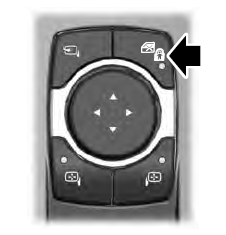
    The child safety lock control is on the driver door.

    Press the control to switch the child safety locks on. Press the control again to switch them off. A light on the child safety control illuminates when you switch them on.

    read more

     
    Copyright © 2025 www.liaviator2.com