
Lincoln Aviator: MyKey™ / Checking MyKey System Status and Using MyKey With Remote Start Systems
Checking MyKey System Status
You can find information about your programmed MyKeys by using the touchscreen.
MyKey Distance
Tracks the distance when drivers use a MyKey. The only way to delete the accumulated distance is by using an admin key to clear all MyKeys. If the distance does not accumulate as expected, then the intended user is not using the MyKey, or an admin key user recently cleared and then recreated a MyKey.
Number of MyKeys
Indicates the number of MyKeys you have programmed to your vehicle. Use this feature to detect how many MyKeys you have for your vehicle and determine when you have deleted all MyKeys.
Number of Admin Keys
Indicates how many admin keys you have programmed to your vehicle. Use this feature to determine how many admin keys you have for your vehicle, and detect if an additional MyKey has been programmed.
Using MyKey With Remote Start Systems
MyKey is not compatible with non Ford-approved, aftermarket remote start systems. If you choose to install a remote start system, see an authorized dealer for a Ford-approved remote start system.
 Creating a MyKey. Clearing All MyKeys
Creating a MyKey
Use the touchscreen to create a MyKey:
Insert the key you want to program into
the ignition. If your vehicle has a
push-button start, place the remote
control into the backup slot...

Other information:
Lincoln Aviator 2020-2026 Service Manual: Description and Operation - Rear Drive Axle and Differential
The 8.8-inch ring gear open rear differential axle has 3.31 gear ratio versions. Rear Drive Axle and Differential The rear axle assembly consists of the following: Integral-type housing hypoid gear design (center of the pinion set below the centerline of the ring gear) Hypoid differential ring gear and pinion consisting of a 8...
Lincoln Aviator 2020-2026 Service Manual: Description and Operation - Intake Air Distribution and Filtering - Overview
Overview The air intake system cleans intake air with a replaceable, dry-type engine Air Cleaner (ACL) element made of treated, pleated paper. A new Air Cleaner (ACL) element must be installed periodically as scheduled. Engine performance and fuel economy are adversely affected when maximum restriction of the Air Cleaner (ACL) element is reached...
Categories
- Manuals Home
- Lincoln Aviator Owners Manual
- Lincoln Aviator Service Manual
- General Procedures - Transmission Fluid Drain and Refill
- Tire Change Procedure
- Changing the Front Wiper Blades - Vehicles With: Heated Wiper Blades
- New on site
- Most important about car
Remote Control
Passive Key
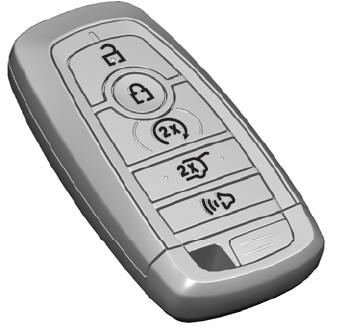
The passive key operates the power locks and the remote start system. The passive key must be in your vehicle to use the push button start.
Note: You may not be able to shift out of park (P) unless the passive key is inside your vehicle.
