
Lincoln Aviator: General Information / Hybrid Display Information
Displays unique hybrid vehicle information when you shut off your vehicle or come to a stop.
Brake Coach
The Brake Coach appears after the vehicle has come to a stop. It coaches you to brake in a manner that maximizes the amount of energy returned through the regenerative braking system.
The percent displayed is an indication of the regenerative braking efficiency with 100% representing the maximum amount of energy recovery. Brake Coach can be turned on or off in the settings menu.
Trip Summary
Displays upon shutting off your vehicle. The values are cumulative since you last started your vehicle. The information shown is the same as the This Trip on demand screen.
Vehicle Charging Status
Displays when you shut off your vehicle and when you turn on your vehicle while plugged in. Charging status includes the charge start or charge end time as appropriate. You can modify your vehicles charge settings through the touchscreen.


Other information:
Lincoln Aviator 2020-2026 Service Manual: Removal and Installation - Trailer Module (TRM)
Removal NOTE: Removal steps in this procedure may contain installation details. NOTE: This step is only necessary if the TRM is being replaced. Using a diagnostic scan tool, begin the PMI process for the TRM following the on-screen instructions...
Lincoln Aviator 2020-2026 Service Manual: Diagnosis and Testing - Charging System
Diagnostic Trouble Code (DTC) Chart Diagnostics in this manual assume a certain skill level and knowledge of Ford-specific diagnostic practices. REFER to: Diagnostic Methods (100-00 General Information, Description and Operation). Diagnostic Trouble Code Chart Module DTC Description Action BCM B11DB:02 Battery Monitoring Module "A": General Signal Failure GO to Pinpoint Test F BCM B11DB:08 Battery Monitoring Module "A": Bus Signal/Message Failures GO to Pinpoint Test F BCM B11DB:09 Battery Monitoring Module "A": Component Failures GO to Pinpoint Test F BCM B11DB:11 Battery Monitoring Module "A": Circuit Short To Ground GO to Pinpoint Test F BCM B11DB:49 Battery Monitoring Module "A": Internal Electronic Failure GO to Pinpoint Test I BCM B11DB:55 Battery Monitoring Module "A": Not Configured GO to Pinpoint Test J BCM B1489:11 Battery Monitoring System (BMS) Sensor Power: Circuit Short To Ground GO to Pinpoint Test F PCM P0562:00 System Voltage Low: No Sub Type Information GO to Pinpoint Test B PCM P0563:00 System Voltage High: No Sub Type Information GO to Pinpoint Test A PCM P065B:00 Generator "A" Control Circuit Range/Performance: No Sub Type Information GO to Pinpoint Test B PCM P065C:00 Generator "A" Mechanical Performance: No Sub Type Information GO to Pinpoint Test B PCM P0A3B:00 Generator "A" Over Temperature: No Sub Type Information GO to Pinpoint Test K PCM P0A5A:00 Generator Current Sensor Circuit Range/Performance: No Sub Type Information GO to Pinpoint Test E PCM P0A5B:00 Generator Current Sensor Circuit Low: No Sub Type Information GO to Pinpoint Test E PCM P0A5C:00 Generator Current Sensor Circuit High: No Sub Type Information GO to Pinpoint Test E PCM U012D:00 Lost Communication With Generator "A" Control Module: No Sub Type Information GO to Pinpoint Test G PCM U042E:00 Invalid Data Received From Generator "A" Control Module: No Sub Type Information GO to Pinpoint Test G Inspection and Verification Verify the customer concern by operating the charging system...
Categories
- Manuals Home
- Lincoln Aviator Owners Manual
- Lincoln Aviator Service Manual
- Body and Paint
- Opening and Closing the Hood
- Wireless Accessory Charger (If Equipped)
- New on site
- Most important about car
Locking and Unlocking the Doors from Inside
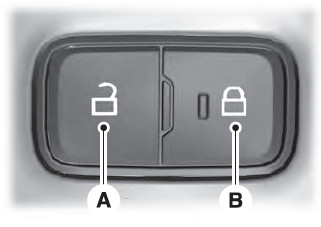
Locking the Doors
Press the lock switch on the door interior trim panel. The doors can no longer be released using the exterior door handle switches and the luggage compartment locks.
