
Lincoln Aviator 2020-2026 Owners Manual / Steering Wheel / Information Display Control and Horn
Lincoln Aviator: Steering Wheel / Information Display Control and Horn
Information Display Control
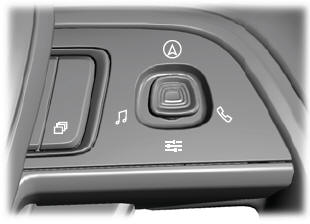
Note: The controls change when you enter a submenu.
The following controls are only available once you enter a submenu:
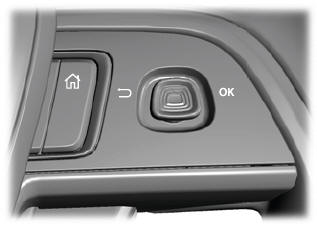
Horn


 Heated Steering Wheel (If equipped)
The heated steering wheel button is on the
climate controls.
Press the button to switch the
heated steering wheel on and off.
Note: You can use the heated steering
wheel only when the engine is running...
Other information:
Lincoln Aviator 2020-2026 Owners Manual: Understanding Your Tire Pressure Monitoring System
The tire pressure monitoring system measures pressure in your road tires and sends the tire pressure readings to your vehicle. You can view the tire pressure readings through the information displa. The low tire pressure warning light will turn on if the tire pressure is significantly low...
Lincoln Aviator 2020-2026 Owners Manual: USB Ports
The USB ports are in the center console or behind a small access door in the instrument panel. This feature allows you to plug in USB media devices, memory sticks, flash drives or thumb drives, and charge devices if they support this feature. Select this option to play audio from your USB device...
Categories
- Manuals Home
- Lincoln Aviator Owners Manual
- Lincoln Aviator Service Manual
- Body and Paint
- Disabling Auto-Start-Stop
- Changing the Front Wiper Blades - Vehicles With: Heated Wiper Blades
- New on site
- Most important about car
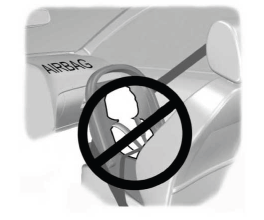
Children and Airbags
WARNING: Airbags can kill or injure a child in a child restraint. Never place a rear-facing child restraint in front of an active airbag. If you must use a forward-facing child restraint in the front seat, move the seat upon which the child restraint is installed all the way back.

Copyright © 2026 www.liaviator2.com