
Lincoln Aviator 2020-2026 Service Manual / Electrical / Climate Control System / Climate Control System - General Information / Removal and Installation - Center Registers
Lincoln Aviator: Climate Control System - General Information / Removal and Installation - Center Registers
Special Tool(s) / General Equipment
| Interior Trim Remover |
Removal
NOTE: Removal steps in this procedure may contain installation details.
-
Release the clips and remove the switch assembly.
-
Disconnect the electrical connector.
Use the General Equipment: Interior Trim Remover
-
Disconnect the electrical connector.
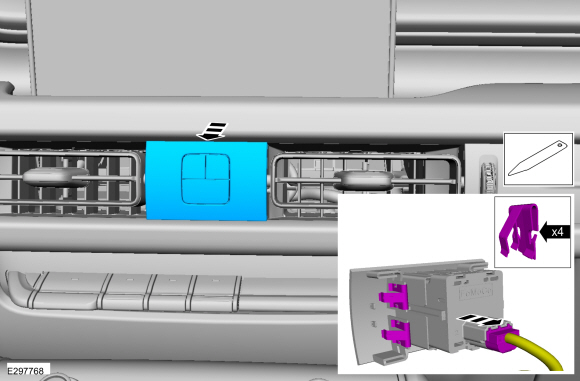 |
-
Release the clips and remove the finish panel.
Use the General Equipment: Interior Trim Remover
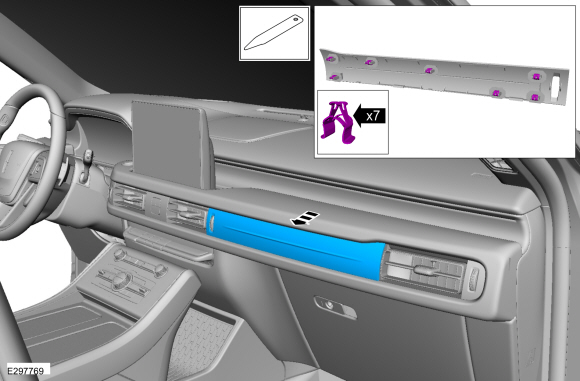 |
-
Release the clips and remove the RH instrument panel end cap.
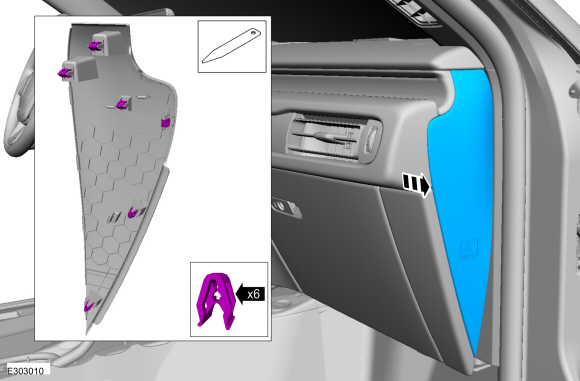 |
-
Remove the center instrument panel trim panel.
-
Remove the bolt.
Torque: 28 lb.in (3.2 Nm)
-
Release the clips and remove the center instrument panel trim panel.
-
Disconnect the electrical connector.
-
Remove the bolt.
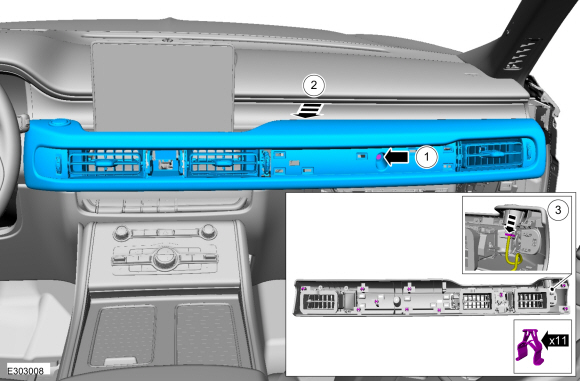 |
-
Remove the screws, release the clips and remove the center register assemblies.
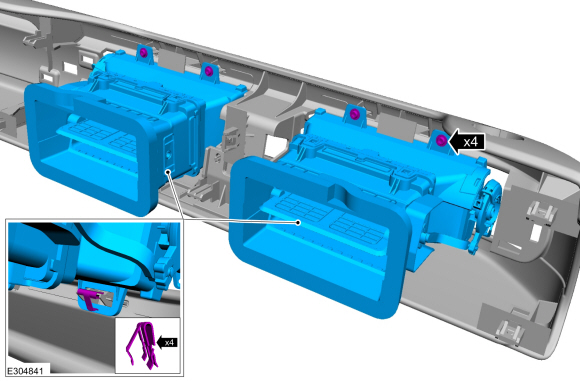 |
-
Release the tabs, remove the arm and separate the center register.
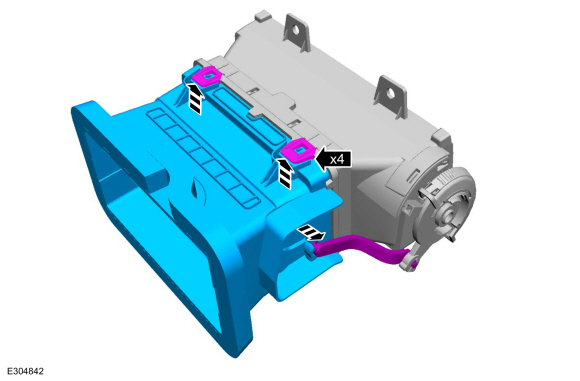 |
Installation
-
To install, reverse the removal procedure.
 Removal and Installation - Cabin Air Filter
Removal
Fully lower the glove compartment.
Remove the check strap.
Push the stop tabs inward.
Remove the screws and lower the cabin air filter door...
 Removal and Installation - Climate Control Housing
Removal
NOTE:
Removal steps in this procedure may contain installation details.
Remove the instrument panel.
Refer to: Instrument Panel (501-12 Instrument Panel and Console, Removal and Installation)...
Other information:
Lincoln Aviator 2020-2026 Owners Manual: Remote Start
The climate control system adjusts the interior temperature during remote start. You can switch this feature on or off and adjust the settings using the touchscreen. You cannot adjust the climate control setting during remote start operation. Switch the ignition on to make adjustments...
Lincoln Aviator 2020-2026 Owners Manual: Safety Precautions
WARNING: Do not overfill the fuel tank. The pressure in an overfilled tank may cause leakage and lead to fuel spray and fire. WARNING: The fuel system may be under pressure. If you hear a hissing sound near the fuel filler inlet, do not refuel until the sound stops...
Categories
- Manuals Home
- Lincoln Aviator Owners Manual
- Lincoln Aviator Service Manual
- Disabling Auto-Start-Stop
- Resetting the System
- Child Safety Locks
- New on site
- Most important about car
Activating Intelligent Access
The intelligent access key must be within 3 ft (1 m) of the door or luggage compartment you intend to lock or unlock.
At a Door
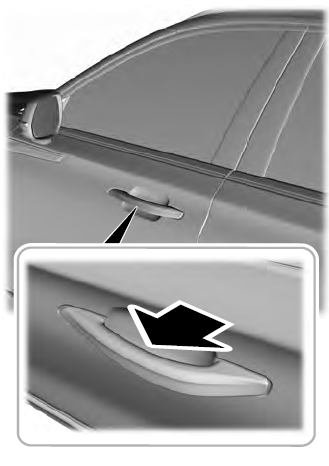
Electronic door handles are on each door. Gently depress the switch inside the exterior door handle to unlock and open the door. An unlock symbol illuminates on the door window trim indicating your vehicle is unlocked.

Copyright © 2026 www.liaviator2.com