Lincoln Aviator: Automatic Transmission - 10-Speed Automatic Transmission – 10R60 / Removal and Installation - Transmission Internal Wiring Harness

Special Tool(s) / General Equipment

307-625
Fixture, Bench Mounting
TKIT-2008ET-FLM
TKIT-2008ET-ROW
307-746
Remover, Transmission Wiring Harness Connector
Transmission Jack
Vehicle/Axle Stands
Wooden Block

Materials

Name Specification
Motorcraft® MERCON® ULV Automatic Transmission Fluid
XT-12-QULV
WSS-M2C949-A,
MERCON® ULV
 

Removal

NOTE: If removing the main control valve body harness only it is not necessary to remove the transmission case harness, refer to the Main Control Valve Body Harness steps.

All Transmission Case Harnesses

  1. With the vehicle in NEUTRAL, position it on a hoist.
    Refer to: Jacking and Lifting (100-02 Jacking and Lifting, Description and Operation).

RWD (rear wheel drive) Transmission Case Harnesses

  1. Remove the transmission support insulator.
    Refer to: Transmission Support Insulator (307-01A Automatic Transmission - 10-Speed Automatic Transmission – 10R60, Removal and Installation).
  1. Remove the bolts and the transmission support bracket.

4WD (four-wheel drive) Transmission Case Harnesses

  1. Remove the transfer case.

All Transmission Case Harnesses

  1. NOTE: If equipped.

    Remove the bolt.
  1. Remove the bolt, nuts and position aside the transmission fluid cooler.

  1. Position aside the park manual release cable.
    1. Disconnect the rod from the manual control lever.
    1. Remove and discard the bolts and position aside the cable assembly.
  1. Using a 10x25 mm bolt, install the special tool.
    Use Special Service Tool: 307-625  Fixture, Bench Mounting.
    Torque: 159 lb.in (18 Nm)
  1. Using an adjustable stand, support the rear of the transmission.
    Use the General Equipment: Vehicle/Axle Stands
    1. Slide the safety lock out.
    1. Press the connector tab in.
    1. Rotate the locking arm up and disconnect the transmission electrical connector.
  1. Remove the main control valve body.
    Refer to: Main Control Valve Body (307-01A Automatic Transmission - 10-Speed Automatic Transmission – 10R60, Removal and Installation).
  1. Unlock and disconnect the speed sensors.
    1. Intermediate Speed Sensor A (ISSA)
    1. TSS sensor
    1. Intermediate Speed Sensor B (ISSB)
    1. OSS sensor
  1. Disconnect the TR sensor electrical connector.
  1. If equipped, disconnect the transmission fluid auxiliary pump electrical connector.

  1. Using the special tool, disconnect the transmission internal wiring harness connector from the transmission case.
    1. Slide the special tool over the connector flush with the transmission case.
      Use Special Service Tool: 307-746  Remover, Transmission Wiring Harness Connector.
    1. Use the special tool to push the connector through the case.
  1. Remove the bolts and the transmission internal wiring harness.

Main Control Valve Body Harnesses

  1. Remove the main control valve body.
    Refer to: Main Control Valve Body (307-01A Automatic Transmission - 10-Speed Automatic Transmission – 10R60, Removal and Installation).

  1. Disconnect the internal wiring harness.
    1. Slide the plastic lock to the unlock position. Disconnect the TCC solenoid and the LPC solenoid electrical connectors. If equipped, disconnect the park lock pawl solenoid electrical connector.
    1. Remove internal wiring harness retaining bolt.
    1. Disconnect the internal wiring harness retainer.

  1. Disconnect the internal wiring harness electrical connectors.
    • Slide the plastic lock to the unlock position. While pressing the plastic tab, disconnect the electrical connector.
  1. Release the retainer and remove the internal wiring harness assembly.

Installation

Main Control Valve Body Harnesses

  1. Install the internal wiring harness assembly and attach the retainer.

  1. Connect the internal wiring harness electrical connectors.
    • Slide the plastic lock to the locked position.

  1. Connect the internal wiring harness.
    1. Connect the internal wiring harness retainer.
    1. Install the internal wiring harness retaining bolt.
      Torque: 106 lb.in (12 Nm)
    1. Connect the TCC solenoid and the LPC solenoid electrical connectors. If equipped, connect the park lock pawl solenoid electrical connector. Slide the plastic lock to the locked position.
  1. NOTE: If installing the transmission case harness, do not install the main control valve body at this time.

    Install the main control valve body.
    Refer to: Main Control Valve Body (307-01A Automatic Transmission - 10-Speed Automatic Transmission – 10R60, Removal and Installation).

All Transmission Case Harnesses


  1. Install the wiring harness. Lubricate the O-ring seals with petroleum jelly. Align the tab on the electrical connector with the indention in the transmission case and install the main electrical connector in the transmission case. Align the wiring harness and install the bolts.
    1. Torque: 97 lb.in (11 Nm)
    1. Torque: 106 lb.in (12 Nm)
  1. If equipped, connect the transmission fluid auxiliary pump electrical connector.
  1. Support the opposite side of the TR sensor and connect the electrical connector.
  1. Connect and lock the speed sensors.
    1. Intermediate Speed Sensor A (ISSA)
    1. TSS sensor
    1. Intermediate Speed Sensor B (ISSB)
    1. OSS sensor
    1. Rotate the locking arm down and connect the transmission electrical connector.
    1. Slide the safety lock in.
  1. Install the main control valve body.
    Refer to: Main Control Valve Body (307-01A Automatic Transmission - 10-Speed Automatic Transmission – 10R60, Removal and Installation).
  1. Using a high-lift transmission jack and wooden blocks, support the transmission.
    Use the General Equipment: Transmission Jack
    Use the General Equipment: Wooden Block

4WD (four-wheel drive) Transmission Case Harnesses

  1. Install the transfer case.

RWD (rear wheel drive) Transmission Case Harnesses

  1. Install the transmission support bracket and the bolts.
    Torque: 46 lb.ft (63 Nm)
  1. Install the transmission support insulator.
    Refer to: Transmission Support Insulator (307-01A Automatic Transmission - 10-Speed Automatic Transmission – 10R60, Removal and Installation).

All Transmission Case Harnesses

  1. Position back the transmission park manual release cable, install the new bolts and connect the rod to the manual control lever.
    Torque: 18 lb.ft (25 Nm)
  1. Inspect the transmission fluid cooler O-ring seals and install new O-ring seals if necessary. Lubricate the O-ring seals.
    Material: Motorcraft® MERCON® ULV Automatic Transmission Fluid / XT-12-QULV (WSS-M2C949-A, ) (MERCON® ULV)
  1. NOTICE: Make sure the oil cooler is completely installed against the transmission before tightening, or damage to the cooler could result.

    Install the transmission fluid cooler and loosely install the bolt and the nuts by hand.
  1. NOTICE: Make sure the oil cooler is completely installed against the transmission before tightening, or damage to the cooler could result.

    Tighten the bolt and nuts in the sequence shown.
    Torque: 18 lb.ft (25 Nm)
  1. Install the bolt.
    Torque: 18 lb.ft (25 Nm)

    Removal and Installation - Transmission Fluid Temperature (TFT) Sensor

    Removal Remove the main control valve body. Refer to: Main Control Valve Body (307-01A Automatic Transmission - 10-Speed Automatic Transmission – 10R60, Removal and Installation)...

    Removal and Installation - Transmission Range (TR) Sensor
    Special Tool(s) / General Equipment 307-783Installer, Roll Pin Rubber Mallet Punch Materials Name Specification Motorcraft® MERCON® ULV Automatic Transmission FluidXT-12-QULV WSS-M2C949-A, MERCON® ULV  Removal Remove the main control valve body...

    Other information:

    Lincoln Aviator 2020-2026 Owners Manual: Starting a Hybrid Electric Vehicle System


    Before starting your vehicle, check the following: Make sure all occupants fasten their seatbelt. Make sure the headlamps and electrical accessories are off. Make sure the parking brake is on. Put the transmission in park (P). Note: Do not touch the accelerator pedal...

    Lincoln Aviator 2020-2026 Service Manual: Diagnosis and Testing - Instrumentation, Message Center and Warning Chimes


    Diagnostic Trouble Code (DTC) Chart Diagnostics in this manual assume a certain skill level and knowledge of Ford-specific diagnostic practices. REFER to: Diagnostic Methods (100-00 General Information, Description and Operation).   Diagnostic Trouble Code Chart Module   DTC Description Action   ABS C0049:01 Brake Fluid Level:General Electrical Failure   GO to Pinpoint Test L   ABS C0049:7B Brake Fluid Level:Low Fluid Level   GO to Pinpoint Test L   IPC P0460:11 Fuel Level Sensor "A" Circuit:Circuit Short To Ground   GO to Pinpoint Test D   IPC P0460:13 Fuel Level Sensor "A" Circuit:Circuit Open   GO to Pinpoint Test D   IPC U0100:00 Lost Communication With ECM/PCM "A":No Sub Type Information   GO to Pinpoint Test CC   IPC U0103:00 Lost Communication With Gear Shift Control Module A:No Sub Type Information   GO to Pinpoint Test CE   IPC U0111:00 Lost Communication With Battery Energy Control Module "A":No Sub Type Information   GO to Pinpoint Test CF   IPC U0121:00 Lost Communication With Anti-Lock Brake System (ABS) Control Module: No Sub Type Information   GO to Pinpoint Test CG   IPC U013F:00 Lost Communication With Pedestrian Alert Control Module:No Sub Type Information   GO to Pinpoint Test CI   IPC U0140:00 Lost Communication With Body Control Module: No Sub Type Information   GO to Pinpoint Test CJ   IPC U0151:00 Lost Communication With Restraints Control Module: No Sub Type Information   GO to Pinpoint Test CM   IPC U0158:00 Lost Communication With Head Up Display:No Sub Type Information   GO to Pinpoint Test CN   IPC U0159:00 Lost Communication With Parking Assist Control Module "A": No Sub Type Information   GO to Pinpoint Test CP   IPC U0193:00 Lost Communication With "Digital Audio Control Module A": No Sub Type Information   GO to Pinpoint Test CQ   IPC U0199:00 Lost Communication With "Door Control Module A":No Sub Type Information   GO to Pinpoint Test CR   IPC U0212:00 Lost Communication With Steering Column Control Module: No Sub Type Information   GO to Pinpoint Test CS   IPC U0212:82 Lost Communication With Steering Column Control Module:Alive/Sequence Counter Incorrect/Not Updated   GO to Pinpoint Test CS   IPC U0232:00 Lost Communication With Side Obstacle Detection Control Module - Left: No Sub Type Information   GO to Pinpoint Test CU   IPC U0233:00 Lost Communication With Side Obstacle Detection Control Module - Right: No Sub Type Information   GO to Pinpoint Test CU   IPC U023A:00 Lost Communication With Image Processing Module A: No Sub Type Information   GO to Pinpoint Test CW   IPC U023B:82 Lost Communication With Image Processing Module B:Alive/Sequence Counter Incorrect/Not Updated   GO to Pinpoint Test CX   IPC U0241:00 Lost Communication With Headlamp Control Module "A":No Sub Type Information   GO to Pinpoint Test CY   IPC U0253:00 Lost Communication With Accessory Protocol Interface Module:No Sub Type Information   GO to Pinpoint Test CZ   IPC U0260:00 Lost Communication With Seat Control Switch Module "A":No Sub Type Information   GO to Pinpoint Test DA   IPC U0293:00 Lost Communication with Hybrid/EV Powertrain Control Module:No Sub Type Information   GO to Pinpoint Test CD   IPC U0293:82 Lost Communication with Hybrid/EV Powertrain Control Module:Alive/Sequence Counter Incorrect/Not Updated   GO to Pinpoint Test CD   IPC U0401:00 Invalid Data Received from ECM/PCM A:No Sub Type Information   GO to Pinpoint Test CC   IPC U0401:81 Invalid Data Received from ECM/PCM A:Invalid Serial Data Received   GO to Pinpoint Test CC   IPC U0401:82 Invalid Data Received from ECM/PCM A:Alive/Sequence Counter Incorrect/Not Updated   GO to Pinpoint Test CC   IPC U0401:86 Invalid Data Received from ECM/PCM A:Signal Invalid   GO to Pinpoint Test CC   IPC U0405:56 Invalid Data Received From Cruise Control Module:Invalid/Incompatible Configuration   GO to Pinpoint Test CK   IPC U0412:86 Invalid Data Received From Battery Energy Control Module "A":Signal Invalid   GO to Pinpoint Test CF   IPC U0415:00 Invalid Data Received From Anti-Lock Brake System (ABS) Module: No Sub Type Information   GO to Pinpoint Test CG   IPC U0415:82 Invalid Data Received from Anti-Lock Brake System (ABS) Control Module "A":Alive/Sequence Counter Incorrect/Not Updated   GO to Pinpoint Test CG   IPC U0420:82 Invalid Data Received from Power Steering Control Module "A":Alive/Sequence Counter Incorrect/Not Updated   GO to Pinpoint Test CH   IPC U0422:00 Invalid Data Received From Body Control Module:No Sub Type Information   GO to Pinpoint Test CJ   IPC U0424:80 Invalid Data Received From HVAC Control Module:ISO/SAE Reserved   GO to Pinpoint Test CL   IPC U0424:81 Invalid Data Received From HVAC Control Module:Invalid Serial Data Received   GO to Pinpoint Test CL   IPC U0424:82 Invalid Data Received From HVAC Control Module:Alive/Sequence Counter Incorrect/Not Updated   GO to Pinpoint Test CL   IPC U0431:82 Invalid Data Received From Body Control Module "A":Alive/Sequence Counter Incorrect/Not Updated   GO to Pinpoint Test CJ   IPC U0452:81 Invalid Data Received From Restraints Control Module:Invalid Serial Data Received   GO to Pinpoint Test CM   IPC U045A:82 Invalid Data Received From Parking Assist Control Module "A":Alive/Sequence Counter Incorrect/Not Updated   GO to Pinpoint Test CP   IPC U049C:82 Invalid Data Received From Battery Charger Control Module "A":Alive/Sequence Counter Incorrect/Not Updated   GO to Pinpoint Test CO   IPC U0531:82 Invalid Data Received From Rear Gate Module:Alive/Sequence Counter Incorrect/Not Updated   GO to Pinpoint Test CT   IPC U0533:00 Invalid Data Received From Side Obstacle Detection Control Module-Left: No Sub Type information   GO to Pinpoint Test CU   IPC U0533:56 Invalid Data Received From Side Obstacle Detection Control Module "A":Invalid/Incompatible Configuration   GO to Pinpoint Test CV   IPC U0534:00 Invalid Data Received From Side Obstacle Detection Control Module-Right: No Sub Type Information   GO to Pinpoint Test CU   IPC U0534:56 Invalid Data Received From Side Obstacle Detection Control Module "B":Invalid/Incompatible Configuration   GO to Pinpoint Test CV   IPC U0542:82 Invalid Data Received From Headlamp Control Module "A":Alive/Sequence Counter Incorrect/Not Updated   GO to Pinpoint Test CY   IPC U0594:86 Invalid Data Received From Hybrid/EV Powertrain Control Module:Signal Invalid   GO to Pinpoint Test CD   IPC U2100:00 Initial Configuration Not Complete:No Sub Type Information   GO to Pinpoint Test DB   IPC U3000:04 Control Module:System Internal Failures   GO to Pinpoint Test DC   IPC U3000:46 Control Module:Calibration/Parameter Memory Failure   GO to Pinpoint Test DC   IPC U3003:16 Battery Voltage: Circuit Voltage Below Threshold   GO to Pinpoint Test DE   IPC U3003:17 Battery Voltage: Circuit Voltage Above Threshold   GO to Pinpoint Test DF   IPC U300A:64 Ignition Switch:Signal Plausibility Failure   GO to Pinpoint Test DD   PCM P0461:00 Fuel Level Sensor "A" Circuit Range/Performance:No Sub Type Information   GO to Pinpoint Test D   PCM P0462:00 Fuel Level Sensor "A" Circuit Low:No Sub Type Information   GO to Pinpoint Test D   PCM P0463:00 Fuel Level Sensor "A" Circuit High:No Sub Type Information   GO to Pinpoint Test D   PCM P0522:00 Engine Oil Pressure Sensor/Switch "A" Circuit Low:No Sub Type Information   GO to Pinpoint Test W   PCM P0523:00 Engine Oil Pressure Sensor/Switch "A" Circuit High:No Sub Type Information   GO to Pinpoint Test W   PCM P25B0:00 Fuel Level Sensor "A" Stuck:No Sub Type Information   GO to Pinpoint Test D   SIMA B1380:4A Steering Wheel Right Switch Pack:Incorrect Component Installed   GO to Pinpoint Test AG   SIMA B1380:71 Steering Wheel Right Switch Pack:Actuator Stuck   GO to Pinpoint Test AG Symptom Chart(s) Symptom Chart: Instrument Panel Cluster (IPC) Diagnostics in this manual assume a certain skill level and knowledge of Ford-specific diagnostic practices...

    Categories

    Remote Control

    Passive Key

    Lincoln Aviator. Remote Control

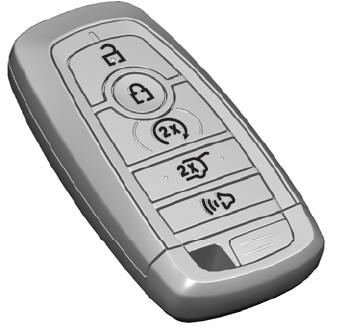
    The passive key operates the power locks and the remote start system. The passive key must be in your vehicle to use the push button start.

    Note: You may not be able to shift out of park (P) unless the passive key is inside your vehicle.

    read more

     
    Copyright © 2026 www.liaviator2.com
