Lincoln Aviator: Traction Control
Principle of Operation
The traction control system helps avoid drive wheel spin and loss of traction.
If your vehicle begins to slide, the system applies the brakes to individual wheels and, when needed, reduces engine power at the same time. If the wheels spin when accelerating on slippery or loose surfaces, the system reduces engine power in order to increase traction.
Using Traction Control
WARNING: The stability and traction control light illuminates steadily if the system detects a failure. Make sure you did not manually disable the traction control system using the information display controls or the switch. If the stability control and traction control light is still illuminating steadily, have the system serviced by an authorized dealer immediately. Operating your vehicle with the traction control disabled could lead to an increased risk of loss of vehicle control, vehicle rollover, personal injury and death.
The system turns on each time you switch on the ignition.
If your vehicle is stuck in mud or snow, switching traction control off may be beneficial as this allows the wheels to spin.
Note: When you switch traction control off, stability control remains fully active.
Switching the System Off
When you switch the system off or on, a message appears in the information display showing system status.
You can switch the system off by accessing the traction control settings through the touchscreen.
Note: If your vehicle detects a loss of traction due to excessive wheel spin or deceleration, a display message appears on the touchscreen prompting you to disable traction control if needed.
Using the Information Display Controls
You can switch this feature off or on in the information display.
System Indicator Lights and Messages
 The stability and traction
control
light:
The stability and traction
control
light:
- Temporarily illuminates on engine start-up.
- Flashes when a driving condition activates either of the systems.
- Illuminates if a problem occurs in either of the systems.
 The stability and traction
control
off light temporarily illuminates on
engine start-up and stays on when
you switch the traction control system off.
The stability and traction
control
off light temporarily illuminates on
engine start-up and stays on when
you switch the traction control system off.
 Reverse Braking Assist – Troubleshooting
Reverse Braking Assist – Information Messages
Reverse Braking Assist – Frequently Asked Questions
Note: If the frequently asked questions and
answers that are shown in the following
chart do not assist you in returning the
system to available, contact an authorized
dealer to have the system checked for
proper operation...

Other information:
Lincoln Aviator 2020-2026 Service Manual: Removal and Installation - Rear Door Glass Run and Bracket
Removal NOTE: LH (left-hand) side shown, RH (right-hand) side similar. NOTE: Removal steps in this procedure may contain installation details. Aft rear door glass run and bracket Remove the rear door window regulator and motor. Refer to: Rear Door Window Regulator and Motor (501-11 Glass, Frames and Mechanisms, Removal and Installation)...
Lincoln Aviator 2020-2026 Service Manual: Description and Operation - Vehicle Dynamic Suspension - System Operation and Component Description
System Operation System Diagram Item Description 1 VDM 2 LH front valve solenoid 3 PSCM 4 PCM 5 ABS module 6 LH front height sensor 7 RH front height sensor 8 LH rear height sensor 9 RH rear height sensor 10 BCM 11 RH front valve solenoid 12 LH rear valve solenoid 13 RH rear valve solenoid 14 IPC 15 RCM 16 GWM Network Message Chart Module Network Input Messages - VDM Broadcast Message Originating Module Message Purpose ABS active ABS module Indicates the current ABS activity, on or off...
Categories
- Manuals Home
- Lincoln Aviator Owners Manual
- Lincoln Aviator Service Manual
- Keyless Entry
- Description and Operation - Jacking and Lifting
- Opening and Closing the Hood
- New on site
- Most important about car
Activating Intelligent Access
The intelligent access key must be within 3 ft (1 m) of the door or luggage compartment you intend to lock or unlock.
At a Door
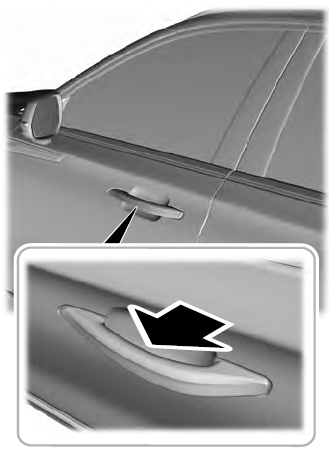
Electronic door handles are on each door. Gently depress the switch inside the exterior door handle to unlock and open the door. An unlock symbol illuminates on the door window trim indicating your vehicle is unlocked.