
Lincoln Aviator: Audio System / USB Port
WARNING: Driving while distracted can result in loss of vehicle control, crash and injury. We strongly recommend that you use extreme caution when using any device that may take your focus off the road. Your primary responsibility is the safe operation of your vehicle. We recommend against the use of any hand-held device while driving and encourage the use of voice-operated systems when possible. Make sure you are aware of all applicable local laws that may affect the use of electronic devices while driving.
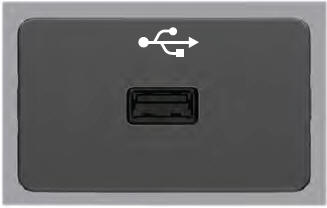
USB A
USB C
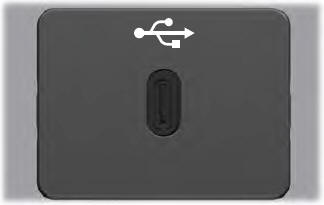
The USB port allows you to plug in media playing devices, memory sticks and charge devices.
Note: We recommend using only USB-IF certified cables and adapters. Non-certified cables and adapters may not work.
Locating the USB Ports
The USB ports may be in the following locations:
- Inside the media bin.
- Inside the center console.
- On the lower instrument panel.
Note: The number and type of USB ports may vary depending on your vehicle.
Note: Not all USB ports in your vehicle have data transfer capabilities.
 Satellite Radio
SiriusXM® Satellite Radio broadcasts a
variety of music, news, sports, weather, traffic
and entertainment satellite radio channels.
For more information and a complete list of
SiriusXM satellite radio channels, visit
www...
 SYNC™ 3
..
Other information:
Lincoln Aviator 2020-2026 Service Manual: Diagnosis and Testing - Accessory Drive
Inspection and Verification Verify the customer concern. Visually inspect for obvious signs of mechanical damage. Visual Inspection Chart Mechanical Damaged or contaminated accessory drive belt Damaged or contaminated pulley(s) Incorrect accessory drive belt Incorrect fitment of the accessory drive belt Generator Air conditioning (A/C) compressor Pulley(s) Loose hardware If an obvious cause for an observed or reported concern is found, correct the cause (if possible) before proceeding to the next step...
Lincoln Aviator 2020-2026 Service Manual: Diagnosis and Testing - Diagnosis By Symptom
Symptom Chart: Automatic Transmission Diagnostics in this manual assume a certain skill level and knowledge of Ford-specific diagnostic practices. REFER to: Diagnostic Methods (100-00 General Information, Description and Operation). In most circumstances the PCM/ TCM sets a DTC to help guide with diagnostics...
Categories
- Manuals Home
- Lincoln Aviator Owners Manual
- Lincoln Aviator Service Manual
- USB Port and Power Point Locations
- Fuel Quality
- Wireless Accessory Charger (If Equipped)
- New on site
- Most important about car
Child Seats
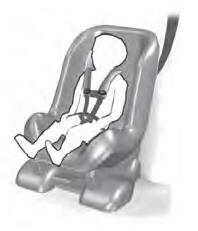
Use a child restraint (sometimes called an infant carrier, convertible seat, or toddler seat) for infants, toddlers and children weighing 40 lb (18 kg) or less (generally four-years-old or younger).
Using Lap and Shoulder Belts
WARNING: Do not place a rearward facing child restraint in front of an active airbag. Failure to follow this instruction could result in personal injury or death.
