Lincoln Aviator: Charging the High Voltage Battery - Plug-In Hybrid Electric Vehicle (PHEV) / OPERATION INSTRUCTIONS
- Read all the instructions before using this product.
- Supervise this device when in use around children.
- Do not put fingers into the electric vehicle connector.
- Do not use this product if the flexible power cord or electric vehicle cable has broken insulation, or any other signs of damage.
- Do not use this product if the enclosure or the electric vehicle connector is broken, cracked, open, or shows any other indication of damage.
Note: Ground this product. If it malfunctions or breaks down, grounding provides a path of least resistance for electric current to reduce the risk of electric shock. This product comes with a cord having an equipment grounding conductor and a grounding plug. Make sure you plug it into an appropriate outlet that is properly installed and grounded in accordance with all local codes and ordinances.
Charging Equipment
Your vehicle has a dual-voltage charging cord in the luggage compartment.
Note: You need to plug the dual-voltage charging cord into a dedicated outlet.
Note: Firmly fit the AC wall plug into the AC outlet. If the connection feels loose, worn or the AC outlet is damaged, please have a qualified electrician replace the AC outlet. Using a dual-voltage charging cord with a worn outlet could cause burns, property damage and increase the risk of electric shock.
Note: Do not use the dual-voltage charging cord with an extension cord, two-prong adapter, surge protector, timer or other adapter.
Note: If charging for your plug-in vehicle fails, please call the Customer Relationship Center, or click on Call for support or Live Chat at our website.
 RISK OF FIRE or ELECTRIC SHOCK
WARNING: The AC wall plug must
fit firmly into the AC outlet. If the
connection feels loose, worn or the AC
outlet is damaged, please have a qualified
electrician replace the AC outlet...
 CAUTION: TO REDUCE THE RISK OF FIRE
Use
a three-prong AC outlet that is properly
grounded, 15-20 amps or greater, and in
good condition. Use a dedicated line. You
cannot have other appliances connected to
the same circuit...
Other information:
Lincoln Aviator 2020-2026 Owners Manual: Reporting Safety Defects (U.S. Only)
If you believe that your vehicle has a defect which could cause a crash or could cause injury or death, you should immediately inform the National Highway Traffic Safety Administration (NHTSA) in addition to notifying Ford Motor Company. If NHTSA receives similar complaints, it may open an investigation, and if it finds that a safety defect exists in a group of vehicles, it may order a recall and remedy campaign...
Lincoln Aviator 2020-2026 Owners Manual: Switching Lane Centering On and Off
The cruise controls are on the steering wheel. Press the button. The indicator appears in the information display. When the system is on, the color of the indicator changes to indicate the system status. Note: Adaptive cruise control must be on before you can switch lane centering on...
Categories
- Manuals Home
- Lincoln Aviator Owners Manual
- Lincoln Aviator Service Manual
- Body and Paint
- Description and Operation - Body and Frame
- Garage Door Opener
- New on site
- Most important about car
Activating Intelligent Access
The intelligent access key must be within 3 ft (1 m) of the door or luggage compartment you intend to lock or unlock.
At a Door
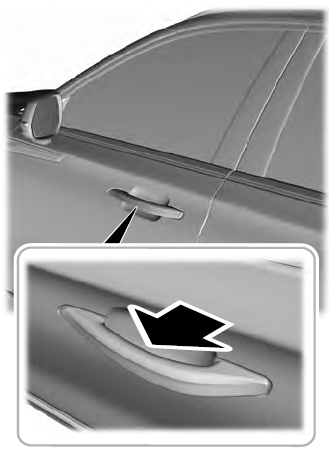
Electronic door handles are on each door. Gently depress the switch inside the exterior door handle to unlock and open the door. An unlock symbol illuminates on the door window trim indicating your vehicle is unlocked.