
Lincoln Aviator: Climate Control System - General Information / Removal and Installation - Condenser Inlet Line - 3.0L EcoBoost
Removal
NOTICE: During the removal of components, cap, tape or otherwise appropriately protect all openings to prevent the ingress of dirt or other contamination. Remove protective materials prior to installation.
NOTE: Removal steps in this procedure may contain installation details.
-
Recover the refrigerant. Refer to the appropriate Recovery procedure in Group 412.
-
Remove the horn.
Refer to: Horn (413-06 Horn, Removal and Installation).
-
NOTE: The condenser inlet and outlet lines are replaced as an assembly.
-
Remove the condenser outlet line nut.
Torque: 71 lb.in (8 Nm)
-
Remove the condenser inlet line nut.
Torque: 133 lb.in (15 Nm)
-
Make sure to cover any open ports to prevent debris from entering the system.
-
Remove the condenser outlet line nut.
.jpg) |
-
Remove the PCM.
Refer to: Powertrain Control Module (PCM) (303-14A Electronic Engine Controls - 3.0L EcoBoost/3.0L EcoBoost – Hybrid (BQ), Removal and Installation).
-
Disconnect the harness retainers. Remove the bolts and the PCM mounting bracket.
Torque: 55 lb.in (6.2 Nm)
.jpg) |
-
-
Remove the condenser outlet line retainer.
Torque: 71 lb.in (8 Nm)
-
Remove the A/C compressor outlet line retainer and remove the condenser outlet and inlet line assembly.
Torque: 159 lb.in (18 Nm)
-
Make sure to cover any open ports to prevent debris from entering the system.
-
Remove the condenser outlet line retainer.
.jpg) |
Installation
-
To install, reverse the removal procedure.
-
NOTICE: Only use the specified material to lubricate the seals.
Install and lubricate new O-ring seals. Refer to the appropriate Specifications in Group 412.
-
Lubricate the refrigerant system with the correct amount
of clean PAG oil. Refer to the appropriate Refrigerant Oil Adding
procedure in Group 412.
 Removal and Installation - Condenser - 3.0L EcoBoost
Removal
NOTICE:
During the removal of components, cap, tape or otherwise
appropriately protect all openings to prevent the ingress of dirt or
other contamination...
 Removal and Installation - Condenser Outlet Line - 3.0L EcoBoost
Removal
NOTE:
The condenser inlet and outlet line are installed as a one-piece assembly.
Remove the condenser inlet line.
Refer to: Condenser Inlet Line - 3...
Other information:
Lincoln Aviator 2020-2026 Service Manual: Removal and Installation - Cellular Antenna Cable
Removal NOTE: Removal steps in this procedure may contain installation details. All vehicles Lower the headliner. Refer to: Headliner - Lowering (501-05 Interior Trim and Ornamentation, Removal and Installation). Remove the LH loadspace trim panel...
Lincoln Aviator 2020-2026 Service Manual: Removal and Installation - Brake Disc
Materials Name Specification Motorcraft® Metal Brake Parts CleanerPM-4-A, PM-4-B - Removal WARNING: Service actions on vehicles equipped with electronic brake booster and electronic parking brakes may cause unexpected brake application, which could result in injury to hands or fingers...
Categories
- Manuals Home
- Lincoln Aviator Owners Manual
- Lincoln Aviator Service Manual
- Remove and Reinstall the Battery
- Changing the Front Wiper Blades - Vehicles With: Heated Wiper Blades
- Description and Operation - Jacking and Lifting
- New on site
- Most important about car
Child Seats
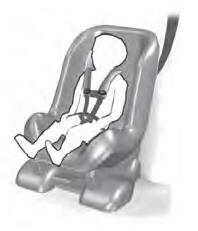
Use a child restraint (sometimes called an infant carrier, convertible seat, or toddler seat) for infants, toddlers and children weighing 40 lb (18 kg) or less (generally four-years-old or younger).
Using Lap and Shoulder Belts
WARNING: Do not place a rearward facing child restraint in front of an active airbag. Failure to follow this instruction could result in personal injury or death.
