
Lincoln Aviator: Starting a Hybrid Electric Vehicle System / Automatic Engine Shutdown. Automatic Engine Shutdown Override
Automatic Engine Shutdown
For vehicles with a keyless ignition, this feature automatically shuts down the engine if it has been idling for an extended period. The ignition also turns off in order to save battery power. Before your vehicle shuts down, a message appears in the information display showing a timer counting down from 30 seconds. If you do not intervene within 30 seconds, your vehicle shuts down. Another message appears in the information display to inform you that your vehicle has shut down to save fuel. Start your vehicle as you normally do.
Note: Automatic Engine Shutdown may be more frequent for hybrid vehicles.
Automatic Engine Shutdown Override
Note: You cannot permanently switch off the automatic shutdown feature. When you switch it off temporarily, it turns on at the next ignition cycle.
You can stop the shutdown, or reset the timer, at any point before the 30-second countdown has expired by doing any of the following:
- You can reset the timer by interacting with your vehicle, for example pressing the brake or accelerator pedal.
- You can temporarily switch off the shutdown feature any time the ignition is on using the information display. The feature only remains off for the current ignition cycle.
- During the 30-second countdown, the system prompts you to press OK or RESET to temporarily switch the feature off for the current ignition cycle only.
 Phone as a Key Backup Starting Passcode
Note: In order to use the Backup Start
Passcode feature, Phone as a Key must be
active and enabled on at least one phone.
If you are unable to start your vehicle, do the
following:
Fully depress the brake pedal...
 Switching Off Your Vehicle When It Is Stationary
Put the transmission in park (P).
Press the push button ignition switch
once.
Apply the parking brake.
Note: This switches off the ignition, warning
lamps and indicators...
Other information:
Lincoln Aviator 2020-2026 Service Manual: Removal and Installation - Rear Door Check Arm
Removal NOTE: Removal steps in this procedure may contain installation details. NOTE: LH side shown, RH similar. Open the door. Remove the check arm bolt. Torque: 18 lb.ft (25 Nm) Remove the rear door check arm cover...
Lincoln Aviator 2020-2026 Service Manual: General Procedures - Driveshaft Angle Measurement
Check NOTE: Prior to checking driveline angularity, inspect the U-joints for correct operation. NOTE: An incorrect driveline angle can cause a vibration or shudder. NOTE: Driveline angularity is the angular relationship between the engine crankshaft, the driveshaft and the rear axle pinion...
Categories
- Manuals Home
- Lincoln Aviator Owners Manual
- Lincoln Aviator Service Manual
- Drive Modes
- Child Safety Locks
- Remove and Reinstall the Battery
- New on site
- Most important about car
Remote Control
Passive Key
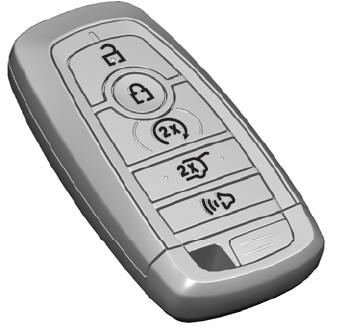
The passive key operates the power locks and the remote start system. The passive key must be in your vehicle to use the push button start.
Note: You may not be able to shift out of park (P) unless the passive key is inside your vehicle.
