Lincoln Aviator: General Information / Notice to utility vehicle and truck owners
WARNING: Vehicles with a higher center of gravity (utility and four-wheel drive vehicles) handle differently than vehicles with a lower center of gravity (passenger cars). Avoid sharp turns, excessive speed and abrupt steering in these vehicles. Failure to drive cautiously increases the risk of losing control of your vehicle, vehicle rollover, personal injury and death.
WARNING: In a rollover crash, an unbelted person is significantly more likely to die than a person wearing a seatbelt.
Utility vehicles and trucks handle differently than passenger cars in the various driving conditions that are encountered on streets, highways and off-road. Utility vehicles and trucks are not designed for cornering at speeds as high as passenger cars any more than low-slung sports cars are designed to perform satisfactorily under off-road conditions.
Study your owner's manual and any supplements for specific information about equipment features, instructions for safe driving and additional precautions to reduce the risk of an accident or serious injury.
 General Information
The recommended tire inflation pressures
are found on the Tire Label which is located
on the B-pillar or the edge of the driver door.
This information can also be found on the
Safety Compliance Certification Label, affixed
to either the door hinge pillar, door-latch
post, or the door edge that meets the
door-latch post; next to the driver’s seating
position...
 All-wheel drive system (if equipped)
WARNING: Do not become
overconfident in the ability of four-wheel
drive vehicles. Although a four-wheel drive
vehicle may accelerate better than a
two-wheel drive vehicle in low traction
situations, it won't stop any faster than
two-wheel drive vehicles...
Other information:
Lincoln Aviator 2020-2026 Service Manual: Removal and Installation - Light Emitting Diode (LED) Control Module
Removal NOTE: The high series headlamp assembly comes with two light emitting diode (LED) control modules. The low series with one light emitting diode (LED) control module. NOTE: Removal steps in this procedure may contain installation details...
Lincoln Aviator 2020-2026 Service Manual: Removal and Installation - Transmission - 3.0L EcoBoost
Special Tool(s) / General Equipment 307-346 (T97T-7902-A) Retainer, Torque ConverterTKIT-1998-LM (NavigatoR)TKIT-1997-F/FLM/LT Magnetic Socket Transmission Jack Wooden Block Materials Name Specification Motorcraft® Multi-Purpose Grease SprayXL-5-A ESB-M1C93-B Motorcraft® MERCON® ULV Automatic Transmission FluidXT-12-QULV WSS-M2C949-A, MERCON® ULV Removal With the vehicle in NEUTRAL, position it on a hoist...
Categories
- Manuals Home
- Lincoln Aviator Owners Manual
- Lincoln Aviator Service Manual
- Body and Paint
- Resetting the System
- Disabling Auto-Start-Stop
- New on site
- Most important about car
Activating Intelligent Access
The intelligent access key must be within 3 ft (1 m) of the door or luggage compartment you intend to lock or unlock.
At a Door
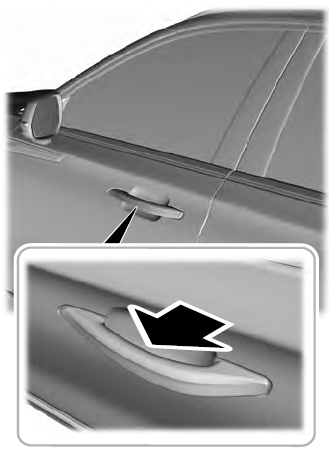
Electronic door handles are on each door. Gently depress the switch inside the exterior door handle to unlock and open the door. An unlock symbol illuminates on the door window trim indicating your vehicle is unlocked.