Lincoln Aviator: Speed Sign Recognition (If Equipped) / Principle of Operation
WARNING: You are responsible for controlling your vehicle at all times. The system is designed to be an aid and does not relieve you of your responsibility to drive with due care and attention. Failure to follow this instruction could result in the loss of control of your vehicle, personal injury or death.
WARNING: In cold and severe weather conditions the system may not function. Rain, snow and spray can all limit sensor performance.
WARNING: The system may not operate properly if the sensor is blocked. Keep the windshield free from obstruction.
The system is designed to detect speed limit signs to inform you of the current speed limit. Detected speed signs appear in the information display. The sensor is behind the interior mirror.
Note: Do not carry out windshield repairs in the immediate area surrounding the sensor.
Note: Speed sign data provided by the navigation system contains information integrated to the data carrier release.
Note: The system may not detect all speed signs and may incorrectly read signs.
Note: If your vehicle has a suspension kit not approved by us, the system may not correctly function.
Note: Always replace headlamp bulbs with those specifically designed for your vehicle. Other bulbs could reduce system performance.
The system turns on when you switch the ignition on and you cannot switch the system off.

 Using Speed Sign Recognition
Setting the System Speed Warning
You can set the system speed warning to
alert you when the vehicle speed exceeds
the speed limit recognized by the system by
a certain speed tolerance...
Other information:
Lincoln Aviator 2020-2026 Owners Manual: Side Airbags and Driver and Passenger Knee Airbags
Side Airbags WARNING: Do not place objects or mount equipment on or near the airbag cover, on the side of the front or rear seatbacks, or in areas that may come into contact with a deploying airbag. Failure to follow these instructions may increase the risk of personal injury in the event of a crash...
Lincoln Aviator 2020-2026 Service Manual: Description and Operation - Instrument Panel and Interior Switches Illumination - System Operation and Component Description
System Operation System Diagram - Networked Illumination - Doors NOTE: Not all vehicles come equipped with all the items listed below. The door latch modules are identified as follows: Left front door - DCME Right front door - DCMF Left rear door - DCMG Right rear door - DCMH Item Description 1 MS-CAN 2 DCME 3 Light sensor 4 DCMF 5 DCMH 6 DDM 7 PDM 8 RF door lock switch 9 RF door window control switch 10 LF door window control switch 11 RR door window control switch 12 LR door window control switch 13 LF door lock switch 14 RR door lock switch 15 LR door lock switch 16 GWM 17 DCMG 18 LH front interior door latch switch 19 RH front interior door latch switch 20 LH rear interior door latch switch 21 RH rear interior door latch switch 22 LIN 23 LIN 24 HS-CAN1 25 BCM 26 Dimmer switch 27 Headlamp switch System Diagram - Networked Illumination - Steering Wheel Switches Item Description 1 Light sensor 2 RH lower steering wheel switch 3 RH upper steering wheel switch 4 LH lower steering wheel switch 5 LH upper steering wheel switch 6 SIMA 7 Upshift paddle switch 8 Downshift paddle switch 9 HS-CAN2 10 GWM 11 HS-CAN1 12 LIN 13 BCM 14 Dimmer switch 15 Headlamp switch System Diagram - Networked Illumination - Other Modules Item Description 1 FCIM 2 APIM 3 Light sensor 4 ACM 5 IPC 6 FDIM 7 without Touchscreen 8 FCDIM 9 RHVAC 10 RACM 11 LIN 12 HS-CAN1 13 MS-CAN 14 HS-CAN3 15 GWM 16 Dimmer switch 17 Headlamp switch 18 BCM Network Message Chart Module Network Input Messages - ACM, APIM, DCME, DCMF, DCMG, DCMH, DDM, FCIM, RACM, RHVAC, SIMA, GWM, IPC and PDM...
Categories
- Manuals Home
- Lincoln Aviator Owners Manual
- Lincoln Aviator Service Manual
- Disabling Auto-Start-Stop
- Configuring The Head Up Display
- Remove and Reinstall the Battery
- New on site
- Most important about car
Activating Intelligent Access
The intelligent access key must be within 3 ft (1 m) of the door or luggage compartment you intend to lock or unlock.
At a Door
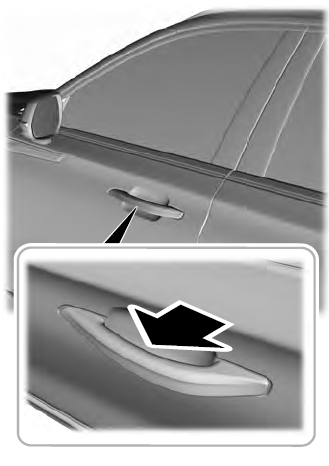
Electronic door handles are on each door. Gently depress the switch inside the exterior door handle to unlock and open the door. An unlock symbol illuminates on the door window trim indicating your vehicle is unlocked.