
Lincoln Aviator: Accessory Drive - 3.0L EcoBoost / Removal and Installation - Accessory Drive Belt
Removal
NOTICE: Under no circumstances should the accessory drive belt, tensioner or pulleys be lubricated as potential damage to the belt material and tensioner damping mechanism will occur. Do not apply any fluids or belt dressing to the accessory drive belt or pulleys.
NOTE: Removal steps in this procedure may contain installation details.
-
With the vehicle in NEUTRAL, position it on a hoist.
Refer to: Wheel and Tire Health and Safety Precautions (100-00 General Information, Description and Operation).
-
Remove the front undershield.
Refer to: Engine Front Undershield (501-02 Front End Body Panels, Removal and Installation).
-
NOTE: Use a 15mm socket located on the cast hex feature to rotate the drive belt tensioner counter-clockwise to release the belt.
Remove the following items:-
Rotate the accessory drive belt tensioner clockwise.
-
Remove the accessory drive belt.
-
Rotate the accessory drive belt tensioner clockwise.
.jpg) |
Installation
-
To install, reverse the removal procedure.
-
NOTE: All FEAD components and fasteners must be installed and torqued before belt installation.
NOTE: Check the A/C Compressor clutch assembly and crankshaft vibration damper assembly after installation. Lumps in the belt surface indicate ribs are out of pulley grooves and not fully seated in the A/C Compressor clutch assembly and/or crankshaft vibration damper assembly.
After installation, make sure the accessory drive belt is correctly seated on all pulleys.
.jpg) |
 Diagnosis and Testing - Accessory Drive
Inspection and Verification
Verify the customer concern.
Visually inspect for obvious signs of mechanical damage.
Visual Inspection Chart
Mechanical
Damaged or contaminated accessory drive belt
Damaged or contaminated pulley(s)
Incorrect accessory drive belt
Incorrect fitment of the accessory drive belt
Generator
Air conditioning (A/C) compressor
Pulley(s)
Loose hardware
If an obvious cause for an observed or reported concern is
found, correct the cause (if possible) before proceeding to the next
step...
 Removal and Installation - Accessory Drive Belt Idler Pulley
Removal
Remove the accessory drive belt.
Refer to: Accessory Drive Belt (303-05A Accessory Drive - 3.0L EcoBoost, Removal and Installation)...
Other information:
Lincoln Aviator 2020-2026 Owners Manual: Phone as a Key Backup Starting Passcode
Note: In order to use the Backup Start Passcode feature, Phone as a Key must be active and enabled on at least one phone. If you are unable to start your vehicle, do the following: Fully depress the brake pedal. SYNC displays the Backup Starting Passcode entry screen...
Lincoln Aviator 2020-2026 Service Manual: Removal and Installation - Drive Pinion Seal
Special Tool(s) / General Equipment 205-1061Installer, Pinion Seal 8.8 205-199 (T83T-3132-A1) Installer, Spindle/Axle ShaftT83-4000-ATKIT-1983-FTKIT-1983-FLMTKIT-1983-FX Flat Headed Screw Driver Materials Name Specification Motorcraft® Premium Long-Life GreaseXG-1-E1 ESA-M1C75-B Removal With the vehicle in NEUTRAL, position it on a hoist...
Categories
- Manuals Home
- Lincoln Aviator Owners Manual
- Lincoln Aviator Service Manual
- Description and Operation - Body and Frame
- Body and Paint
- Opening and Closing the Hood
- New on site
- Most important about car
Locking and Unlocking the Doors from Inside
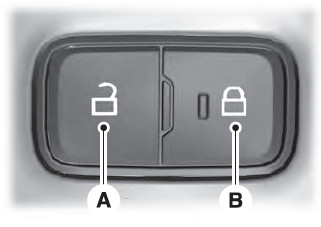
Locking the Doors
Press the lock switch on the door interior trim panel. The doors can no longer be released using the exterior door handle switches and the luggage compartment locks.
