
Lincoln Aviator: Rear Drive Axle/Differential / Removal and Installation - Axle Housing Bushing
Special Tool(s) / General Equipment
.jpg) |
205-1066 Installer, Bushing |
| Flat Headed Screw Driver | |
Removal
NOTE: Only worn or damaged bushings need to be replaced.
-
Remove the rear axle assembly.
Refer to: Axle Assembly (205-02 Rear Drive Axle/Differential, Removal and Installation).
-
-
NOTE: The rear axle bushings need to be installed in the same location as removed.
NOTE: Note the position of the component before removal. Flat surface is facing inside and in front of other side bushing.
Index-mark the rear axle front upper bushings and differential housing.
-
Using the general equipment, remove and discard the rear axle front upper bushings.
Use the General Equipment: Flat Headed Screw Driver
-
.jpg) |
-
-
NOTE: The rear axle bushings need to be installed in the same location as removed.
NOTE: Note the position of the component before removal. Flat surface is facing inside and in front of other side bushing.
Index-mark the rear axle front lower bushings and rear axle housing.
-
Using the general equipment, remove and discard the rear axle front lower bushings.
Use the General Equipment: Flat Headed Screw Driver
-
.jpg) |
Installation
-
NOTE: Make sure that the surface is clean and free of foreign material.
Clean and inspect the rear axle assembly at bushing mating surfaces.
.jpg) |
-
NOTE: Only one bushing is to be installed at a time.
NOTE: One side bushing shown, other side is similar.
NOTE: Make sure that the installation marks are aligned and flat surface is aligned inside.
NOTE: Press the bushing by hand initially.
Insert the new rear axle front lower bushings.
.jpg) |
-
NOTE: One side bushing shown, other side is similar.
Using the special tool, install the new rear axle front lower bushings.
Use Special Service Tool: 205-1066 Installer, Bushing.
.jpg) |
-
NOTE: Only one bushing is to be installed at a time.
NOTE: One side bushing shown, other side is similar.
NOTE: Make sure that the installation marks are aligned and flat surface is aligned inside.
NOTE: Press the bushing by hand initially.
Install the new rear axle front upper bushings.
-
Insert the new rear axle front upper bushings.
-
Using the special tool, install the new rear axle front upper bushing.
Use Special Service Tool: 205-1066 Installer, Bushing.
-
Insert the new rear axle front upper bushings.
.jpg) |
-
Install the rear axle assembly.
Refer to: Axle Assembly (205-02 Rear Drive Axle/Differential, Removal and Installation).
 Removal and Installation - Axle Assembly
Special Tool(s) /
General Equipment
Transmission Jack
Removal
NOTE:
Removal steps in this procedure may contain installation details.
Drain the rear differential fluid...
 Removal and Installation - Differential Carrier
Special Tool(s) /
General Equipment
205-220Installer, Differential ShimTKIT-1985-FH
Copper Hammer
Removal
Remove the differential housing cover...
Other information:
Lincoln Aviator 2020-2026 Owners Manual: Information Messages
..
Lincoln Aviator 2020-2026 Owners Manual: Changing Tires With a Tire Pressure Monitoring System
Note: Each road tire is equipped with a tire pressure sensor located inside the wheel and tire assembly cavity. The pressure sensor is attached to the valve stem. The pressure sensor is covered by the tire and is not visible unless the tire is removed...
Categories
- Manuals Home
- Lincoln Aviator Owners Manual
- Lincoln Aviator Service Manual
- General Procedures - Transmission Fluid Drain and Refill
- Drive Modes
- Resetting the System
- New on site
- Most important about car
Remote Control
Passive Key
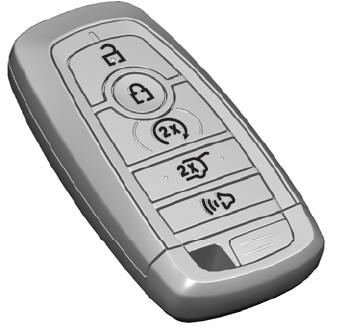
The passive key operates the power locks and the remote start system. The passive key must be in your vehicle to use the push button start.
Note: You may not be able to shift out of park (P) unless the passive key is inside your vehicle.
