Lincoln Aviator: Battery, Mounting and Cables / Removal and Installation - Battery Monitoring Sensor
Removal
NOTE: When the battery is disconnected and connected, some abnormal drive symptoms may occur while the vehicle relearns its adaptive strategy. The vehicle may need to be driven to allow the PCM to relearn the adaptive strategy values.
NOTE: Removal steps in this procedure may contain installation details.
-
Release the clips and remove the battery access cover.
.jpg) |
-
NOTICE: Make sure the positive battery terminal cover is in position while removing the negative battery cable clamp to prevent damage from a short to the positive terminal.
NOTICE: Be careful not to damage the sensor when removing the terminal from the battery post. Do not pry on the terminals or component damage may occur.
NOTICE: Do not remove or install the battery cable nut while the battery monitor sensor is attached to the battery post as this causes damage to the sensor, connector, and possibly the battery post and case.
Loosen, but do not remove the nut and position the negative battery cable aside.
Torque: 48 lb.in (5.4 Nm)
.jpg) |
-
NOTICE: Make sure the battery cable terminal is properly positioned to the battery monitoring sensor before tightening the nut or component damage may occur.
-
Disconnect the battery monitoring sensor electrical connector.
-
Remove the nut and the battery monitoring sensor.
Torque: 80 lb.in (9 Nm)
-
Disconnect the battery monitoring sensor electrical connector.
.jpg) |
Installation
-
To install, reverse the removal procedure.
 Removal and Installation - Battery Current Sensor
Removal
NOTE:
Removal steps in this procedure may contain installation details.
Position the rear compartment storage cover upward...
 Removal and Installation - Battery Tray
Removal
NOTE:
Removal steps in this procedure may contain installation details.
Remove the battery.
Refer to: Battery (414-01 Battery, Mounting and Cables, Removal and Installation)...
Other information:
Lincoln Aviator 2020-2026 Service Manual: Description and Operation - Vehicle Dynamic Suspension - Vehicles With: Air Suspension - Component Location
..
Lincoln Aviator 2020-2026 Service Manual: Description and Operation - Complete Panel Replacement/Partial Replacement
Partial Replacement Item Description 1 Sectioning area 2 Manufacture weld joint Decision Criteria The following points a crucial to the decision of complete or partial replacement of the part(s)...
Categories
- Manuals Home
- Lincoln Aviator Owners Manual
- Lincoln Aviator Service Manual
- Opening and Closing the Hood
- Description and Operation - Jacking and Lifting
- Drive Modes
- New on site
- Most important about car
Fastening the Seatbelts
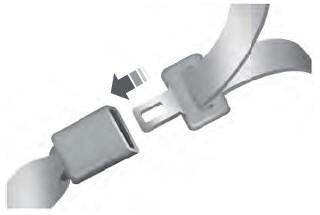
The front outboard and rear safety restraints in the vehicle are combination lap and shoulder belts.
Insert the belt tongue into the proper buckle (the buckle closest to the direction the tongue is coming from) until you hear a snap and feel it latch. Make sure that you securely fasten the tongue in the buckle.