Lincoln Aviator: Front Suspension - AWD / Removal and Installation - Front Stabilizer Bar
Removal
NOTICE: Suspension fasteners are critical parts that affect the performance of vital components and systems. Failure of these fasteners may result in major service expense. Use the same or equivalent parts if replacement is necessary. Do not use a replacement part of lesser quality or substitute design. Tighten fasteners as specified.
NOTE: Removal steps in this procedure may contain installation details.
-
Remove the front subframe.
Refer to: Front Subframe (502-00 Uni-Body, Subframe and Mounting System, Removal and Installation).
-
Remove and discard the stabilizer bar bracket-to-front subframe retainers and remove the front stabilizer bar.
Torque: 66 lb.ft (90 Nm)
.jpg) |
Installation
-
To install, reverse the removal procedure.
 Removal and Installation - Front Lower Arm
Special Tool(s) /
General Equipment
204-592Separator, Lower Arm Ball JointTKIT-2006C-FFMFLMTKIT-2006C-LMTKIT-2006C-ROW
Vehicle/Axle Stands
Removal
NOTICE:
Suspension fasteners are critical parts that affect the
performance of vital components and systems...
 Removal and Installation - Front Stabilizer Bar Link
Removal
NOTICE:
Suspension fasteners are critical parts that affect the
performance of vital components and systems. Failure of these fasteners
may result in major service expense...
Other information:
Lincoln Aviator 2020-2026 Service Manual: Removal and Installation - Direct Injection Fuel Rail RH
Special Tool(s) / General Equipment 303-1567Sizer, Teflon SealTKIT-2010C-FLM 307-005 (T59L-100-B) Slide Hammer 310-205Fuel Injector Brush 310-206Remover, Fuel InjectorTKIT-2009A-FLM 310-207Installer, Fuel Injector Seal AssemblyTKIT-2009A-FLM Removal Release the fuel system pressure...
Lincoln Aviator 2020-2026 Owners Manual: Accessories
For a complete listing of the accessories that are available for your vehicle, please contact your authorized dealer or visit the online store website: Web Address (United States) www.Accessories.Lincoln.com Web Address (Canada) www.LincolnCanada.com We will repair or replace any properly authorized dealer-installed Lincoln Original Accessory found to be defective in factory-supplied materials or workmanship during the warranty period, as well as any component damaged by the defective accessories...
Categories
- Manuals Home
- Lincoln Aviator Owners Manual
- Lincoln Aviator Service Manual
- Changing the Front Wiper Blades - Vehicles With: Heated Wiper Blades
- Locking and Unlocking
- Disabling Auto-Start-Stop
- New on site
- Most important about car
Activating Intelligent Access
The intelligent access key must be within 3 ft (1 m) of the door or luggage compartment you intend to lock or unlock.
At a Door
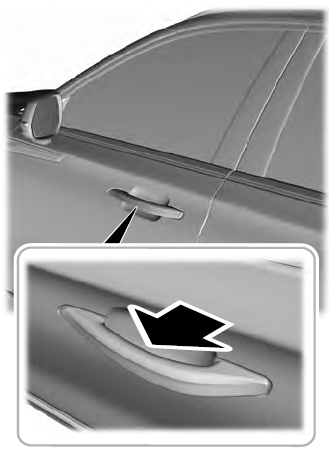
Electronic door handles are on each door. Gently depress the switch inside the exterior door handle to unlock and open the door. An unlock symbol illuminates on the door window trim indicating your vehicle is unlocked.